
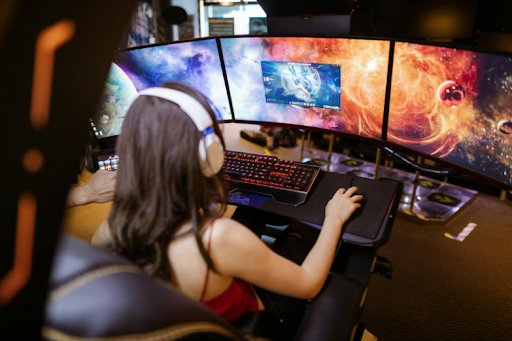
Your hands and eyes do a lot of work when you play or create, so your physical setup should feel as intentional as your in-game loadout. With a few small 3D-prints and a bit of measuring, you can turn a setup from something that’s happened through a mix of laziness, ignorance, ambition and necessity into ‘why didn’t I do this sooner’.
You already know the rabbit-hole: one minute you are ‘just checking’ a sens-tweak, the next you are deep in settings, guides & reviews trying to copy a pro’s feel. This guide keeps that energy, but points it at the stuff you can physically change with a few smart 3D-prints and a tape-measure. The goal is not to build a showroom desk, it’s to make long sessions feel easier, so your focus stays on the fun part.
Why Physical Settings Affect Your Consistency
When your posture fights you, your attention leaks. You start shifting in your chair, squeezing your mouse, or lifting your shoulders without realising. Tiny symptoms of stress, at first physical and eventually psychological, repeated for hours.
A 2025 survey study of keyboard-and-mouse esports players reported pain in 71.7% of participants, with common areas including the lower back, wrists and neck.
Sound familiar to you? If your default position is awkward, your body spends energy holding you up. A better setup makes comfort the baseline, so your movements can be more consistent too.
Do A Two-Minute Setup Audit
Before you print anything, check your setup while you are actually sitting at it.
Look at four basics:
- Screen height: are you looking slightly down, or craning up?
- Chair height: are your elbows roughly level with the desk surface?
- Mouse space: do you have room to move without bumping anything?
- Wrist support: do you rest on a hard edge, or float?
Pick one problem to fix first and go through them one art a time. Printing a whole bundle of problem out of the way sounds productive, but it often means you never learn what helped.
Four Small Prints That Change How You Feel
Think of these as physical ‘settings’ you can tune.
A monitor riser is the boring one that works. If you like the look of a clean build, you can hide spare cables inside the riser so the desktop stays uncluttered. If your screen is low, you tend to lean forward and tuck your head. A riser brings the screen up so your neck can relax. Print a quick draft version first, test the height for a day and then print the nicer one with storage if you want it.
A foot-rest helps if your feet do not feel planted. When your legs dangle, you slide forward or perch. A small rest can help you sit back and let your shoulders drop. A rest can also stop you from curling your legs under you, which often pulls your hips out of a relaxed position. Add a slight tilt and a textured top so it feels steady in socks.
A mouse cable-holder is a small fix with a big feel, if you use a wired mouse. It reduces cable-drag, so your aim does not ‘catch’ mid-swipe. Looking for inspiration? Here is a classic MyMiniFactory example you can copy or remix.
Meanwhile, a desk-edge guard or wrist-rest can reduce pressure on your forearm. Round-off every edge that touches skin and consider adding a thin stick-on pad after printing. If you want something even simpler, start with cable-clips under the desk, so nothing tugs on your mouse-space.
If you feel tingling, numbness, or ongoing pain, treat that as a stop-sign! Adjust, take breaks and get professional advice from a doctor or physio if it persists.
Iterate And Iterate Again
The secret sauce is iteration, not perfection. Makers already do this instinctively. Treat comfort like a design brief, then print, test, tweak and repeat. Change one variable at a time: height and angle are two different things. It sounds unlikely, but a 5 mm tweak can feel huge.
Use micro-prints to test fit. Print only the clip section of a cable-organiser, or only the front lip of a riser. PLA is usually fine for desk parts, but if a clip flexes a lot, PETG can be more forgiving. If a part takes load, leave room for screws or inserts and keep the base wide.
Also, take a quick photo of your desk from the side, then another one with you in it. It is a low-effort way to spot a hunched screen or a cramped keyboard position that your brain has started to ignore, let alone odd adaptations your spine has somehow been making on the down low. If you upload or remix models on MyMiniFactory, include your measurements and ‘v2’ notes.
A Weekend Plan That Feels Like A Buff
Day one: audit, measure, sketch and print a draft monitor riser or a foot-rest. Use it for a few hours and note what feels better, or worse. Day two: lock the dimensions, print the final version and add one hand-focused print, either a cable-holder or an edge guard.
By the end of the weekend, your setup should feel calmer and more repeatable. You’ll still be tweaking in-game settings, but your real-world settings will stop getting in the way. And you’ll be one big step closer to pro level.