
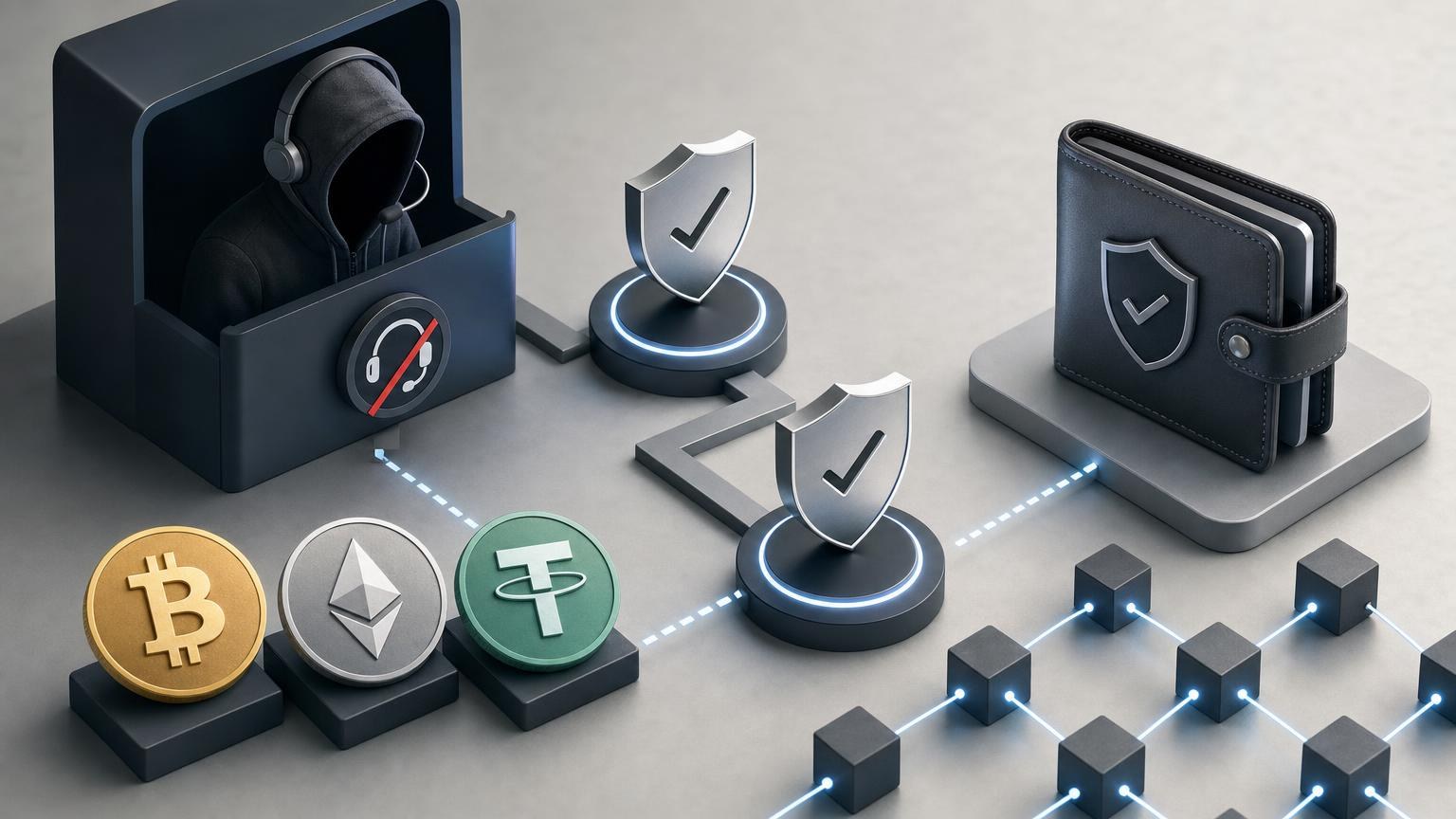
A fake support agent does not need to break a blockchain. They only need to redirect one transfer, capture one seed phrase or persuade you to approve one transaction that you did not intend to make.
This pre-operation check is designed to interrupt that sequence before BTC, ETH or USDT leaves your control. It cannot eliminate every technical, operational or compliance risk. Its purpose is narrower: identify mismatched details, unsupported claims and impersonation attempts while there is still time to stop.
Express Check: Stop Before You Send
Do not continue with the exchange if any of these signals appear:
- A person who contacted you first claims to be support and sends a new payment address, QR code or “corrected” order page.
- You are asked for a seed phrase, private key, wallet backup, remote access or a screen recording that exposes secret information.
- The domain differs from the one you independently opened, even by one character, an extra word or an unfamiliar extension.
- The asset or network shown in the wallet does not exactly match the asset and network in the order.
- The pasted destination address changes, or it differs from the address displayed on the verified order page.
- A supposed agent asks you to make an additional “verification,” “unlock,” “insurance” or “recovery” transfer.
- You are promised guaranteed profit, a risk-free exchange or an unusually profitable follow-up trade.
- The order details change after you created the request, but the change appears only in a chat, email or direct message.
Phishing pages can imitate legitimate wallets and exchanges, while unsolicited “support” messages may direct users to those pages. Ethereum’s official security guidance says a legitimate service or support agent will not ask for a recovery phrase or private key. [1]
If none of the stop signals appears, that does not prove the operation is safe. It means only that you can proceed to the full verification.
How to Read the Two-Pass Check Card
The card uses three possible outcomes:
- Continue checking: the compared values match, but the remaining checks are still required.
- Clarify: a condition is missing, ambiguous or unavailable from an independent source. Pause without sending funds.
- Stop: a critical value conflicts, a secret is requested, the domain is suspect or someone attempts to redirect the transaction outside the verified order flow.
“Independent confirmation” does not mean asking the same chat agent twice. It means comparing the claim against a separate source: the order page opened from a known domain, your own wallet interface, official project documentation or the relevant blockchain explorer.
Pass One: Verify the Operation Context
Complete this pass before copying a payment address or approving anything in a wallet.
| What to verify | Where to confirm it independently | What a discrepancy means |
|---|---|---|
| Domain and page origin. Check the complete domain, protocol indicator and current browser tab. Open the site independently rather than through a support message, advertisement or forwarded link. | Compare the address with a previously saved bookmark or another trusted record under your control. Inspect the full domain instead of relying on the logo, page design or search-result title. | A missing character, substituted letter, added subdomain or unexpected redirect is a stop condition. Do not enter credentials, connect a wallet or use an address from that page. |
| Identity of the support channel. Establish whether the conversation began through a support route listed on the verified service page. | Return to the verified domain in a separate browser tab and locate its current contact method there. Do not use contact details supplied by the person whose identity is in question. | An unsolicited direct message or a request to move to another messenger requires clarification. A request for wallet secrets, remote access or an off-platform transfer means stop. |
| Operation direction. Confirm which asset you send and which asset you expect to receive. Read both sides of the order rather than relying on ticker symbols in a message. | Compare the order page with your intended action and with the withdrawal or send screen in your wallet. Confirm which address belongs to the sender and which belongs to the recipient. | Reversed assets or unclear “send” and “receive” fields can produce an unintended transfer. Do not try to correct the direction through an address supplied in chat; create or review the request through the verified interface. |
| Current asset availability. Confirm that BTC, ETH or the chosen form of USDT is available for the intended direction at the moment of the operation. | Use the current selection options and conditions displayed on the verified service page. Availability of an asset does not automatically establish availability of every pair, network or direction. | If the required option is absent, do not substitute another asset or network based on a support message. Treat the operation as unavailable until the verified interface or official channel clarifies it. |
| Network. Verify the blockchain on both the sending side and the receiving side. For USDT, the ticker alone is not enough because Tether tokens exist on multiple blockchains. [2] | Compare the network label on the order with the network selected in the sending wallet or withdrawal platform. Use official asset documentation when a token standard or network name is unfamiliar. | If one side shows a different blockchain, stop. A matching-looking address format or identical USDT ticker does not resolve a network mismatch. |
| Address ownership and source. Identify exactly where the destination address came from. | Use only the address displayed inside the active request on the independently verified domain. Compare it with any QR code and with the value shown after pasting it into the wallet. | An address received only through email, chat, comments or a direct message is not independently confirmed. If it differs from the verified order, stop and preserve both versions for investigation. |
| Memo, Tag or other routing field. Determine whether the receiving side explicitly requires an additional identifier. | Read the current order instructions and the destination platform’s deposit instructions. Do not infer that the field is optional merely because the wallet allows you to continue. | A missing, conflicting or unexplained routing value requires clarification before sending. Do not invent a value, reuse one from an earlier transfer or accept a replacement supplied only in chat. |
| Amount and quoted result. Compare the amount being sent with the displayed estimate or final calculation, including any network fee shown by your own wallet. | Use the live order page and the wallet confirmation screen. Distinguish the exchange calculation from the blockchain fee and from any amount retained by an external withdrawal platform. | If the amount, asset denomination or expected receipt cannot be reconciled, pause. Do not send extra funds to “balance” the order unless a newly created and independently verified request explicitly requires a different amount. |
| Conditions and verification requirements. Read the requirements that apply to this operation before creating or funding the request. | Check the current conditions on the verified service interface. Requirements may depend on the exchange direction and the outcome of compliance checks. | If a message contradicts the published order flow, or an agent claims that a secret payment bypasses a check, stop. Do not attempt to evade identity, sanctions, geographic or legal restrictions. |
| Time-sensitive values. Identify which values may expire or change, such as the displayed calculation, order status or payment window, without assuming any standard duration. | Read the timestamps and status labels inside the request. Refresh only through the verified page and confirm whether recalculation requires a new order. | An expired or changed request needs clarification. A screenshot or old chat message is not sufficient authority for sending to an earlier address or under earlier conditions. |
| Data source consistency. Check whether the domain, order identifier, asset, network, address and amount all come from the same active request. | Review the complete request in one verified session. Compare it with the wallet screen without merging details from old orders, multiple browser tabs or different conversations. | Mixed order identifiers or values from separate requests create a high risk of misrouting. Close unrelated tabs and restart the verification from the active request. |
Pass Two: Recheck at the Point of No Return
Pass One validates the plan. Pass Two validates what the wallet is actually about to broadcast. Perform it after all values have been entered but before pressing the final send, confirm, withdraw or sign control.
| What to verify | Where to confirm it independently | What a discrepancy means |
|---|---|---|
| Destination address after pasting. Compare the entire value where possible, with particular attention to the beginning, end and any section your wallet displays for confirmation. | Compare the wallet’s final confirmation screen against the address inside the verified active order. If a hardware wallet displays the destination, confirm it on the device itself. | Any changed character means stop. Clipboard malware can replace a copied crypto address with an attacker’s address, which is why the pasted result must be checked rather than trusted automatically. [3] |
| Selected network. Read the final network label again rather than relying on the earlier selection. | Compare the wallet or withdrawal confirmation screen with the network named in the active order. For USDT, verify both the token and its blockchain. | A network conflict is a stop condition. Do not approve the transfer in the hope that support can convert or recover it later. |
| Asset. Confirm that the wallet is sending BTC, ETH or the intended USDT token, not a similarly named asset, wrapped token or unrelated contract asset. | Use the wallet’s asset details and, for tokens, the official project information or a reputable explorer for the selected blockchain. | An unfamiliar contract, ticker variation or token identity requires clarification. A familiar logo is not enough. |
| Memo or Tag. Confirm that the final transaction includes the exact required routing value, if one is specified. | Compare the final wallet field character by character with the active order instructions. | An omitted or altered value requires stopping before broadcast. Do not place the identifier in a comment or another field unless the verified instructions explicitly say to do so. |
| Amount sent. Check the decimal position, denomination and whether the wallet interprets the entry as crypto units or fiat value. | Compare the wallet confirmation with the amount in the active request. Review the resulting wallet balance if the interface previews it. | A misplaced decimal, wrong unit or unexpected “send maximum” result can materially change the transfer. Cancel and enter the value again. |
| Network fee. Identify the fee separately from the transfer amount and expected receipt. | Use the fee shown by the sending wallet or withdrawal platform. Confirm whether the fee is added to the amount or deducted from it. | If the fee changes the funded amount below what the request requires, pause and clarify rather than sending repeated top-up transactions. |
| Expected amount received. Recheck the latest value displayed by the active request and note whether it is an estimate or a fixed value under the stated conditions. | Compare the request summary with the final sending amount. Use only the current order state, not a promotional message or an earlier screenshot. | If the expected result changed without an understandable order update, do not approve the transfer. Return to the request details and determine whether recalculation or a new request is required. |
| Order identifier and status. Confirm that the order is active and that the identifier matches the request you reviewed during Pass One. | Check the identifier in the same verified browser session and compare it with any safe record you made when creating the request. | A different, closed, expired or missing order requires clarification. Never fund an order identifier supplied only by a person in chat. |
| Wallet action being authorized. Read whether the interface is sending an asset, approving token access, signing a message or interacting with a contract. | Use the wallet’s final action description. Compare it with the action the exchange process actually requires. | An unexpected approval, contract call or opaque signature request is a stop condition. Cancel it instead of accepting an agent’s claim that the action is “just verification.” |
| Last-minute communication. Check whether any new message is trying to override the verified transaction details. | Return to the active request through the independently opened domain. Confirm changes there, not through the incoming message. | Pressure to hurry, switch addresses or make a second transfer is grounds to stop. A legitimate correction must be visible and verifiable within the official order flow. |
After both passes are complete, one practical next step is to check the current exchange conditions and available direction. Confirm the selected pair, network and requirements again when creating the actual request, because availability and applicable checks can differ by operation.
The Three Outcomes
Continue checking
Use this outcome when the domain, order, asset, network, address, routing fields and amounts agree across independent sources. It authorizes only the next verification step. It is not a declaration that the transfer is risk-free.
Clarify before sending
Choose this outcome when a field is missing, a condition is unclear, an order has changed or a network option is not shown consistently. Keep the funds in your wallet while you verify the issue through the contact route found on the independently opened service page.
Do not resolve ambiguity by voting between two support messages. Critical transaction data must be confirmed against the active request and the wallet’s final screen.
Stop the operation
Stop when the domain is suspect, a destination address changes, the networks conflict, secret credentials are requested or an unexpected wallet approval appears. The same applies when someone promises a guaranteed return, demands another crypto payment to release funds or claims an irreversible transfer can certainly be recovered.
BTC and ETH transactions are not designed to provide a routine chargeback mechanism. Bitcoin guidance states that a payment cannot simply be reversed and depends on the recipient for a refund; Ethereum guidance likewise warns that a transaction sent to the wrong address may not be retrievable. [4]
Control Route: Before, During and After the Exchange
Before the transfer
- Open the service through a trusted route and verify the complete domain.
- Create or inspect the request without assistance from an unsolicited messenger account.
- Complete Pass One and record only the non-secret order identifier and visible conditions needed to identify the request.
- Prepare the wallet, then compare its selected asset and network with the request.
- Complete Pass Two on the final confirmation screen.
If a person starts rushing you during this process, step away. Urgency is not evidence that an address, network or request is valid.
While the transaction is pending
Preserve the order page and transaction identifier. Check the transaction through an explorer for the blockchain actually used, not through a link sent by an unknown agent.
Separate blockchain progress from service processing. A transaction may first appear as pending or unconfirmed on-chain, then reach confirmations, while the order interface may have its own status. One status should not be rewritten to match the other.
Do not send the same payment again merely because the page has not updated. First determine whether the original transaction was broadcast, whether its txid exists on the correct chain and whether the destination address matches the request.
After confirmation
Compare the confirmed on-chain destination and amount with the data saved from the active request. Then compare the exchange result with the latest applicable order conditions.
A successful blockchain confirmation proves that a transaction was included on that chain. It does not, by itself, prove that the correct network, recipient, order or exchange direction was used.
Threats That Matter in a Fake-Support Scenario
Phishing through a cloned exchange page
A copied logo and familiar layout prove nothing about the operator behind a page. The decisive value is the complete domain reached through an independently trusted route.
A phishing page may ask for credentials, prompt a wallet connection or display an attacker-controlled deposit address. If the page came from an unsolicited message, close it rather than using its navigation to search for “official support.”
Address replacement
Address replacement can happen in a message, on a cloned order page or through clipboard malware. The defence is not simply copying carefully. It is comparing the destination after the paste and again on the final wallet or hardware-device display.
If two sources show different addresses, do not send a small amount to “see which one works.” First establish which source is authentic. A test transfer to an attacker is still a loss.
Wrong network, especially for USDT
BTC is native to the Bitcoin network and ETH is native to Ethereum, but withdrawal interfaces may also offer representations or alternative network routes. USDT is issued across multiple blockchains, making the explicit network label essential. [2]
The sender and recipient must support the same intended network for that operation. Never infer compatibility from the ticker alone, and never assume that every USDT network is available through a particular exchange direction.
Seed phrase or private-key theft
A seed phrase is not an order number, verification code or proof of wallet ownership. It can provide control over the wallet’s accounts, so it must not be entered into an exchange page, support form, chat or screen-sharing session. Ethereum’s security documentation describes recovery phrases and private keys as wallet-controlling secrets that should never be shared. [5]
If a supposed support agent asks for selected words from the phrase rather than the entire phrase, the request is still malicious. Dividing the disclosure into several messages does not make it safe.
Guaranteed returns disguised as support
Fake agents sometimes shift the conversation from troubleshooting to an “exclusive” trade, staking program or recovery investment. Support for an exchange operation should not depend on sending funds to generate a guaranteed profit.
The US Federal Trade Commission identifies guaranteed crypto profits and big returns as scam signals. Market volatility also means that the value of an asset can change materially; no support representative can remove that risk by promise. [6]
Recovery Protocol When Something Does Not Match
A delayed status, changed amount or altered order detail does not automatically prove fraud. It does require diagnosis before any second payment or new wallet authorization.
If the status is delayed
- Locate the txid in your sending wallet or withdrawal record.
- Check it in an explorer for the network you selected.
- Confirm whether the transaction exists, is pending, failed or has confirmations.
- Compare its destination and amount with the active request.
- Check the order status through the independently verified domain.
- If support is needed, provide the non-secret order identifier and txid through the verified contact route.
Do not disclose a seed phrase or private key to accelerate processing. Do not pay a second address presented as a “synchronization” or “confirmation” wallet.
If the received amount differs
Reconstruct the calculation from separate components: the amount broadcast, any sending-platform deduction, the on-chain amount, the network fee and the exchange conditions shown for the request.
Preserve the relevant values before refreshing or closing the order. Ask for an explanation through the verified support route, but do not assume that a discrepancy guarantees a refund or requires an immediate top-up.
If the address, network or order data changed
Do not fund either version until the conflict is resolved. Save the old and new non-secret details, note where each version appeared and check whether the verified order interface records the change.
If the change exists only in chat, treat it as unverified. If funds were already sent, preserve the txid and contact the legitimate service without following any “recovery specialist” who approaches you first. Official Ethereum scam guidance warns that recovery fraudsters may target victims and demand an upfront fee while promising to reverse blockchain transactions. [1]
If a seed phrase or private key was exposed
Stop interacting with the suspected page or agent. Treat the wallet as compromised. Do not send the exposed phrase to another person who claims they can inspect it, and do not store it in a support ticket.
Use trusted wallet documentation from a clean device to determine the appropriate wallet-compromise response. If assets remain, speed may matter, but an improvised transfer can create further loss. Verify the destination wallet, asset and network independently before taking action.
Safe Recordkeeping After the Operation
Keep a minimal incident and transaction record that helps identify the operation without creating a new security problem. Useful items can include:
- the non-secret order identifier;
- the txid or transaction hash;
- the asset and blockchain used;
- the sending amount and confirmed on-chain amount;
- the destination address shown in the completed transaction;
- the order status and relevant timestamps;
- screenshots of non-secret order details or conflicting messages, with unnecessary personal information removed.
Do not store seed phrases, private keys, wallet backup files, passwords, authentication codes or unnecessary identity documents with this record. The final control is simple: preserve enough public transaction data to diagnose the operation, but never preserve or transmit the secrets that can authorize the next one.